


Jackery
Jackery Smart Transfer Switch | Whole-Home Backup Hub
Jackery Smart Transfer Switch | Whole-Home Backup Hub
Free Shipping on Orders $100 and over!
Couldn't load pickup availability


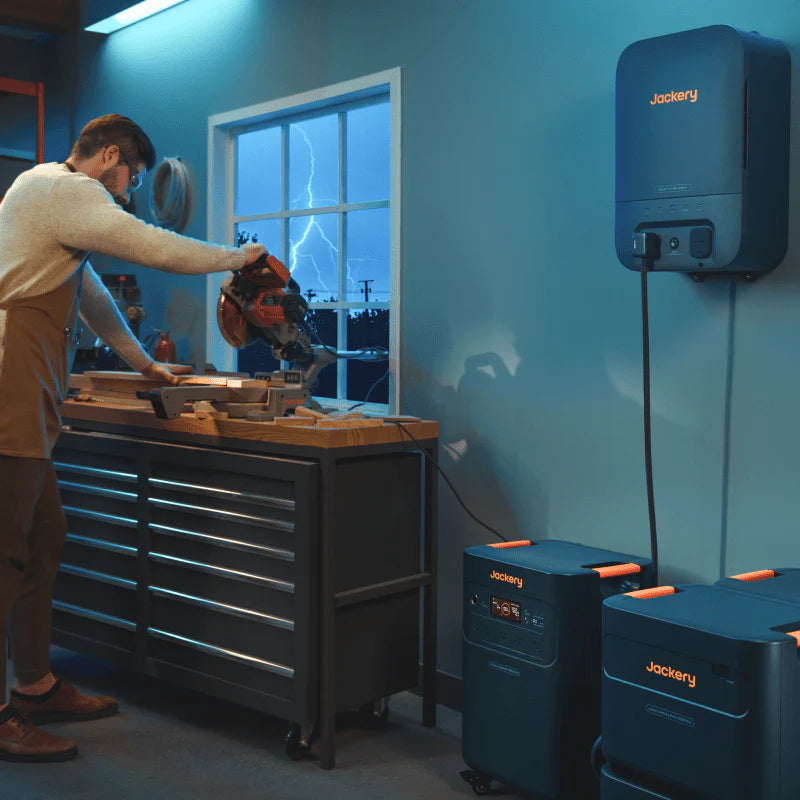
The Jackery Smart Transfer Switch (STS) is the ultimate bridge between portable power and home permanence. Engineered specifically for the Explorer 5000 Plus, this advanced switch allows you to integrate your power station directly into your home’s electrical panel. Supporting up to 12 essential circuits, it transforms your portable unit into a sophisticated, whole-home backup system that saves you money on utility bills while providing a 20ms seamless UPS transition during blackouts.
12-Circuit Management | ≤20ms UPS Backup | Smart Peak-Shaving Technology

The Heart of a Resilient Home The Jackery Smart Transfer Switch isn't just a switch; it’s an intelligent energy manager. By hardwiring your most critical appliances—like refrigerators, sump pumps, and Wi-Fi routers—directly to your Explorer 5000 Plus, you ensure your home never skips a beat. Whether you're facing a winter storm or a summer grid failure, your home stays powered automatically and silently.

Why the Smart Transfer Switch is Essential:
- Seamless UPS Performance: With the Jackery App’s UPS mode enabled, the system switches from grid to battery power in less than 20ms. Your computers won’t reboot, and your clocks won't even blink.
- Slash Your Electricity Bills: Use "Charging-Discharging Mode" to beat peak utility rates. Automatically power your home with stored battery energy during expensive peak hours and recharge from the grid when rates are lowest.
- Solar Integration: Connect rooftop or portable solar to your 5000 Plus to create a "Self-Powered" home. Use 100% renewable energy to run your living room lights and appliances.
- 12-Circuit Versatility: Supports up to 12 individual 120V circuits or 6 split-phase 240V circuits (perfect for well pumps or heavy appliances).
- Smart App Ecosystem: Monitor your energy usage in real-time, prioritize critical loads to extend battery life, and control your home circuits remotely from your smartphone.
- Zero-Maintenance Design: Compact, silent, and designed for indoor installation. Once it’s set up, it works in the background to protect your home.


Specifications & Manuals
- Owner's Manual
- APP User Manual
- Jackery Smart Transfer Switch Installation Training
- Jackery Smart Transfer Switch Removal Training
⚠️ IMPORTANT: PROFESSIONAL INSTALLATION REQUIRED The Smart Transfer Switch must be installed by a certified electrician. Once you receive your unit, please complete the Jackery STS Installation Request Form to initiate the professional setup process through Jackery’s authorized partners.
What’s In The Box?
- 1 x Jackery Smart Transfer Switch & Marking Template
- 1 x Heavy-Duty Power Input/Output Cable
- 2 x Wall Brackets & Mounting Hardware
- 1 x User Manual

| Feature |
Specification |
|
Model No. |
JA-TS02A (Exclusive to 5000 Plus Series) |
|
AC Voltage (Nominal) |
120V / 240V~ 60Hz (Split Phase) |
|
Max Grid Input |
100A |
|
Max Home Load Output |
60A |
|
Load Branches |
12 Circuits (up to 30A per circuit) |
|
UPS Transfer Time |
≤20ms (App-enabled) |
|
Enclosure Type |
NEMA Type 1 (Indoor Only) |
|
Connectivity |
Wi-Fi and Bluetooth |
|
Weight |
25.57 lbs (11.6 kg) |
|
Dimensions |
22 x 14.7 x 7.87 in |
|
Warranty |
5 Years |

FAQs
Compatibility & Capability
- Which power stations are compatible? It is designed exclusively for the Jackery Explorer 5000 Plus. You can connect up to 2 units simultaneously for increased capacity.
- What appliances can I connect? You can connect 120V and split-phase 240V circuits. Each circuit breaker supports up to 30A (7200W). You can run up to 12 circuits for 120V OR 6 circuits for 240V (or a combination of both).
- Can I use my existing rooftop solar? Yes, if your system is AC-coupled. While the STS doesn't connect directly to rooftop panels, you can charge your 5000 Plus via solar, which then feeds the STS. Note: In a grid outage, AC-coupled rooftop systems will stop functioning as they require a grid signal.
UPS & Performance
- How do I get the 20ms seamless switch? You must enable the UPS function in the Jackery App. If the power station is charging when an outage occurs, the switch takes ~1 second. If UPS is not enabled, the switch-over takes ~5 seconds.
- Why didn't some circuits turn back on when the grid returned? This is a safety feature. To reduce the risk of electric shock or surges, circuits moved to "Backup Priority" during an outage must be manually turned back on through the app once mains power is restored.
Energy Savings & Smart Modes
- How do I save money on my electric bill? Use the Jackery App to set a "Charging-Discharging Plan." You can program the system to power your home using stored battery energy during expensive "Peak" hours and recharge from the grid during "Off-Peak" hours.
- How do I prioritize "Critical Loads"? In the app, group your circuits into "Critical" and "Nice to Have." If your battery hits a set threshold during an outage, the system will automatically kill power to the "Nice to Have" circuits to ensure your fridge or medical equipment stays running longer.
Technical Requirements
- Where should I install the STS? The unit is not waterproof (NEMA Type 1). It must be installed indoors or in a dry location protected from rain and moisture.
- Does it support Three-Phase power? No. It requires a split-phase 240V input and supports 120V/240V 60Hz output only.
- Is this a "Grid-Tie" system? No. This system cannot feed/sell energy back into the utility grid. It is designed for home backup and self-consumption only.

Installation Guidance
Smart Transfer Switch Installation Guidance
A 4-step guide to professional home integration.
Step 1: Receive Your Gear Once your Explorer 5000 Plus and Smart Transfer Switch arrive, unbox them and ensure all components (cables, mounting brackets, templates) are present.
Step 2: Submit the Request Form Visit the link provided in your confirmation email (or the Jackery website) to complete the Online STS Installation Request Form. This alerts Jackery's technical team that you are ready for setup.
Step 3: Consultation & Scheduling A representative from Jackery’s authorized third-party installation partner will contact you. They will:
- Perform a remote site survey or discuss your home’s electrical layout.
- Provide a quote for the labor costs.
- Schedule a certified electrician to visit your home.
Step 4: Professional Installation & Training The assigned electrician will install the STS, wire your 12 designated circuits, and test the system. Before leaving, they will help you pair the unit with the Jackery App and show you how to enable the 20ms UPS mode and Energy Saving plans.
You may use your own certified electrician or handle the STS installation yourself (if you are certified) at your own expense. The STS User Guide and installation videos are available on our website for your reference. Jackery has partnered with third-party installation companies to provide installation services for US customers. We highly recommend contacting Jackery for installation, training, and certification before proceeding with your installation.
If you have any questions or concerns about your installation, you can always contact Jackery via email at hello@jackery.com or by phone at 888.502.2236.
Get Started - STS Installation Request Form
Installation service is limited to designated areas. See T&C for details.